Free & GPL · works with any IMAP provider

Your mailbox, inside your dashboard.

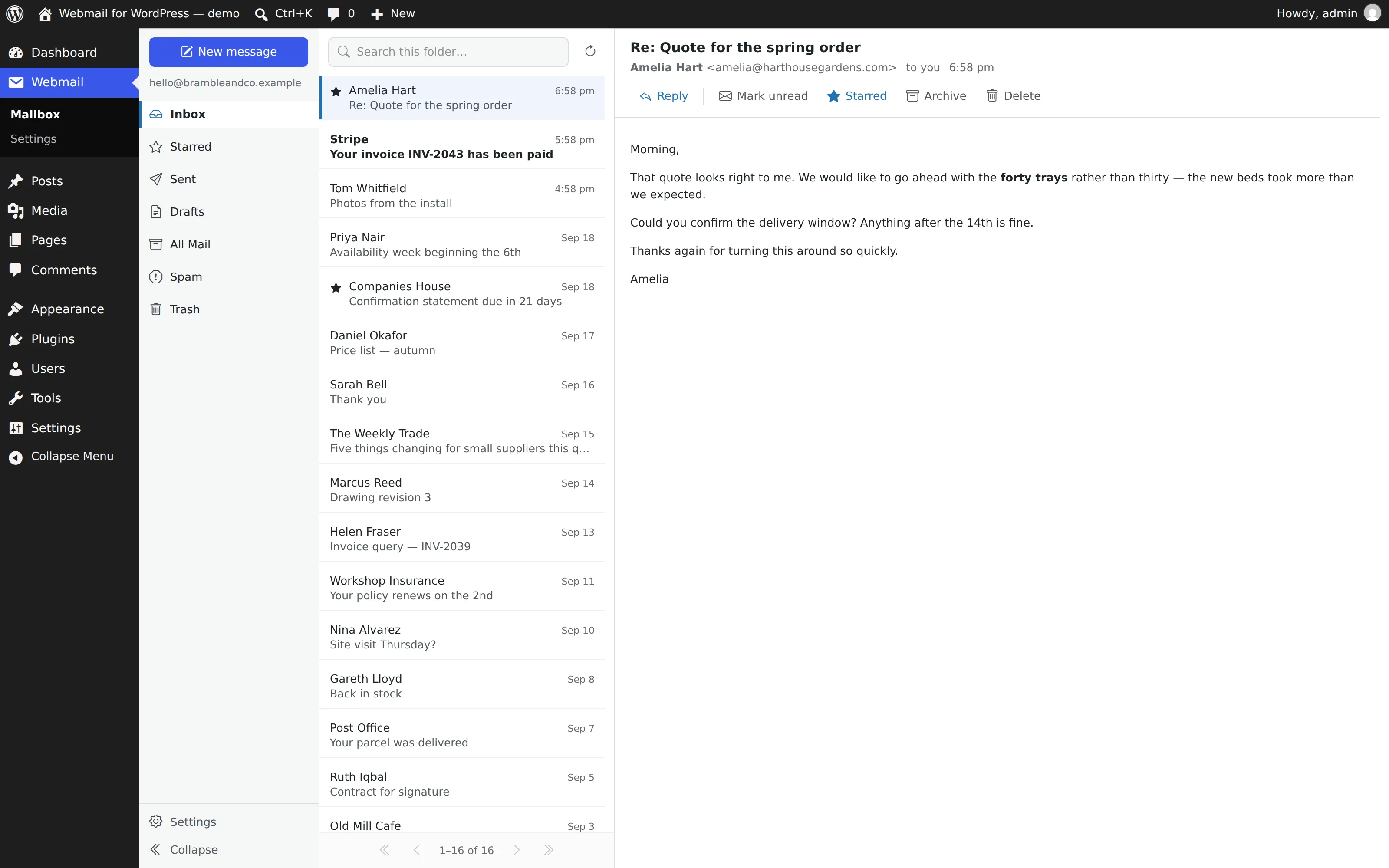
A three-pane mail client that lives in wp-admin — drawn with WordPress's own colours, spacing and type, so it reads as part of the dashboard rather than a guest in it. Not an app in an iframe.

The demo boots a real WordPress inside your browser tab — already signed in. Nothing uploaded, nothing kept.

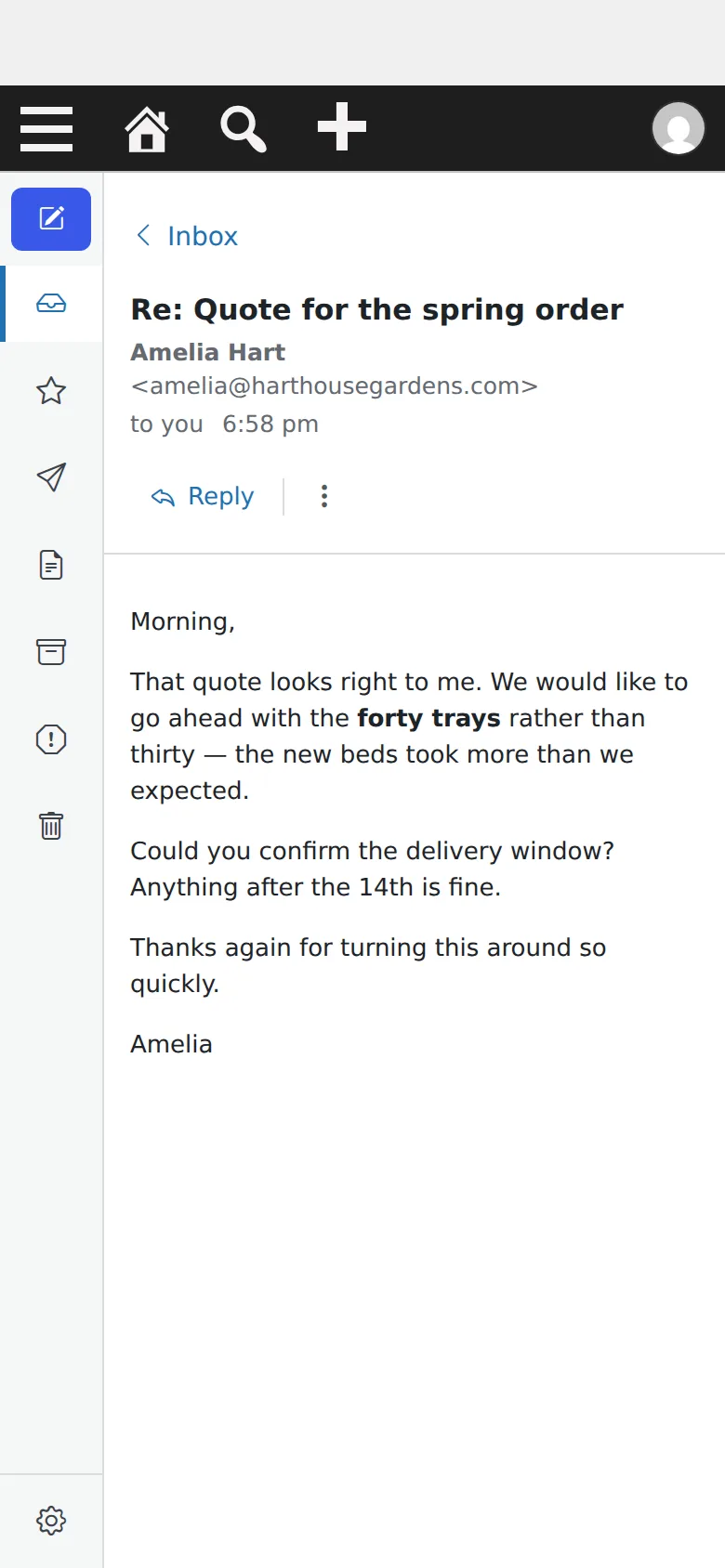
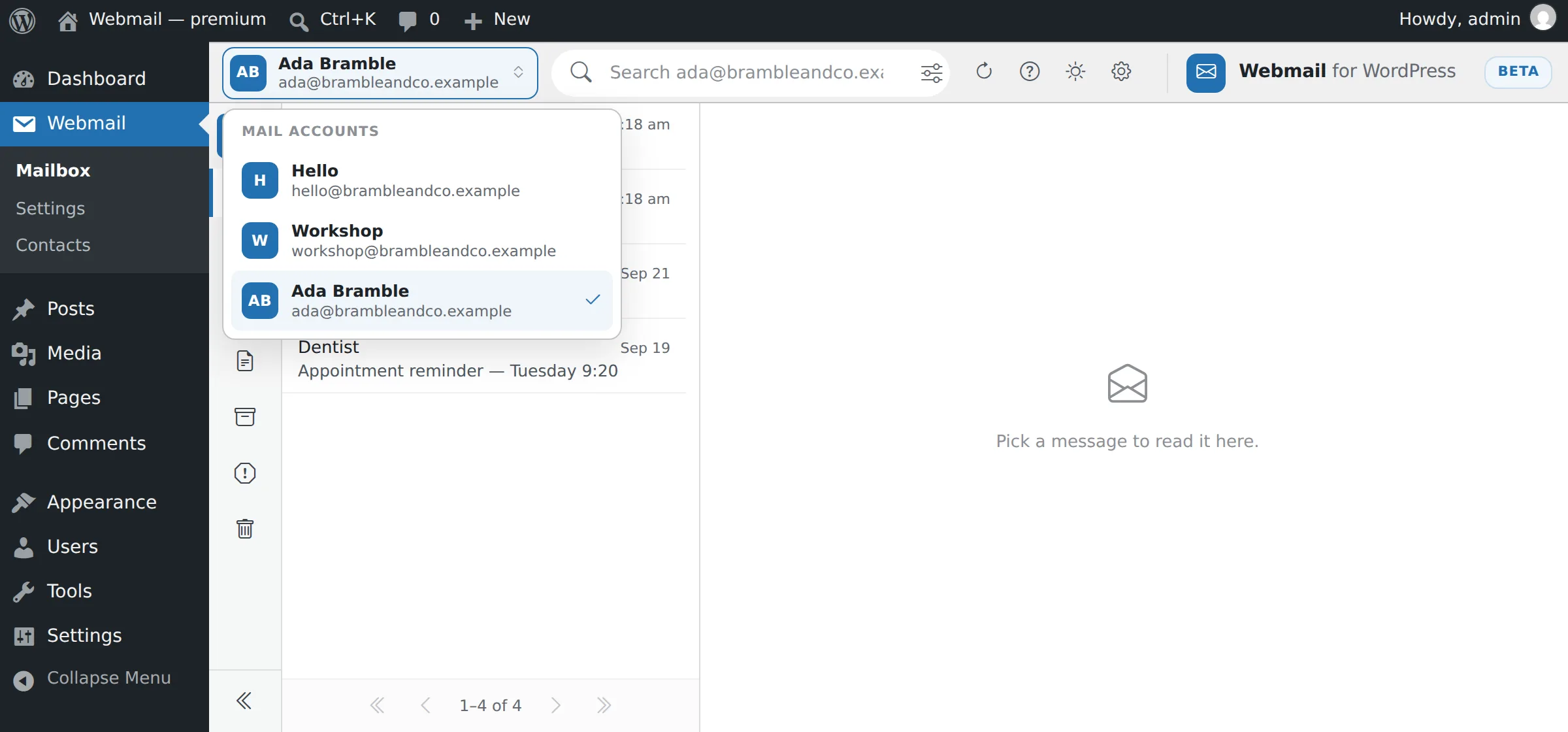
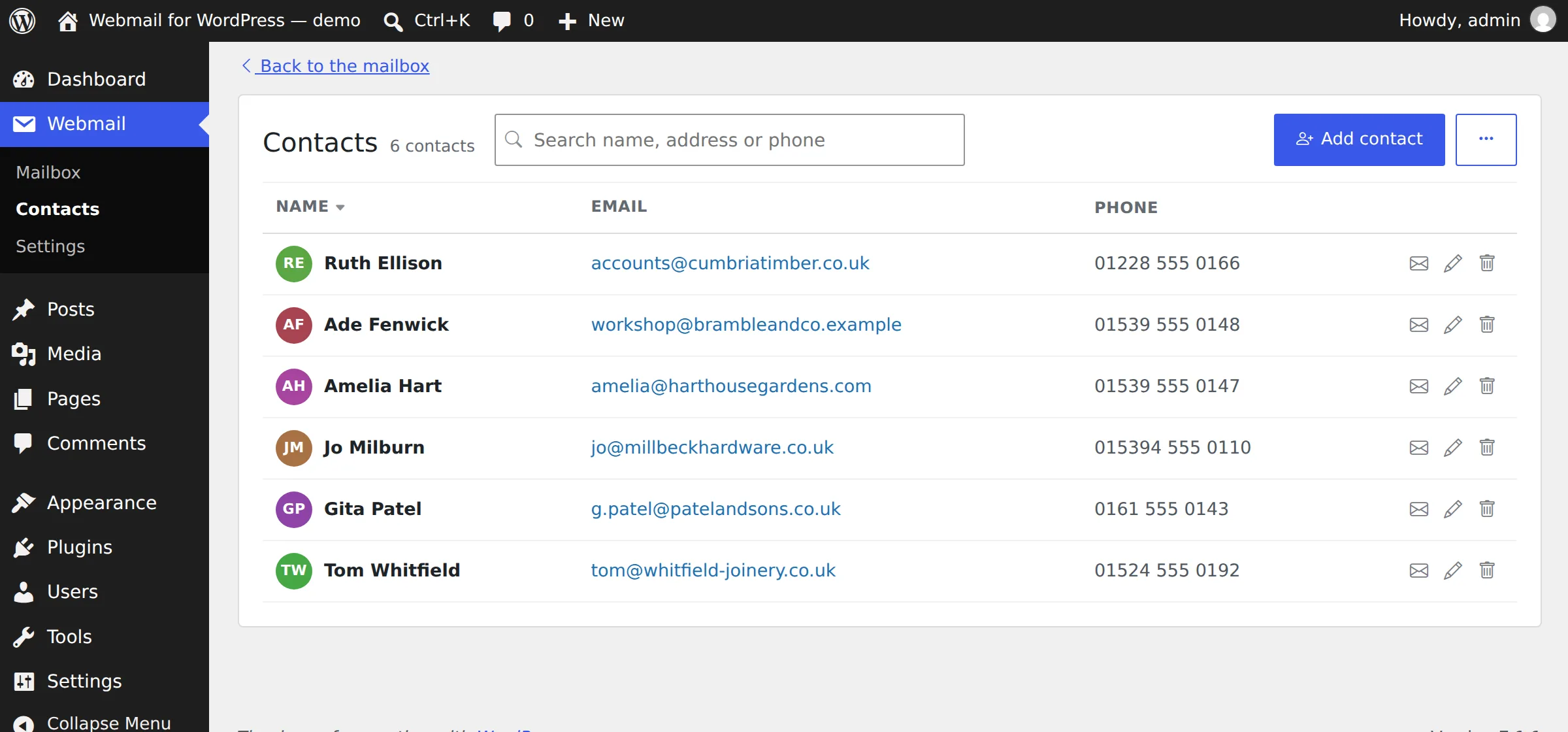
The three-pane webmail screen inside the WordPress dashboard
0
messages stored on your site
7
providers preset, or type your own
320px
the narrowest screen it is built for
No CDN
every asset ships in the plugin

Why it is different

Nothing is stored. Not one message.

Every message is read live from your mail server for that request. No custom tables, no cron, no copy of your mail sitting on a website waiting to be breached.

No copy of your mail

Two option rows and a few transients are the entire footprint. Nothing to grow, nothing to back up.

Any IMAP provider

Gmail, Outlook / Microsoft 365, Yahoo, iCloud, Fastmail and Zoho are presets. Or type your own servers.

Undo that waits

Deleted by accident? The offer stands until you do something else. No countdown — "oops" arrives at its own speed.

Careful with strangers

Remote images are held back until you ask, so opening a message never tells the sender you read it.

Attachments, handled

Pictures preview in the pane. Outgoing files are allow-listed, type-checked, and shrunk if enormous.

Tidies up after itself

A nightly sweep empties Trash and Spam of anything older than thirty days. Your inbox is never touched.

Any device

The whole message. On the screen.

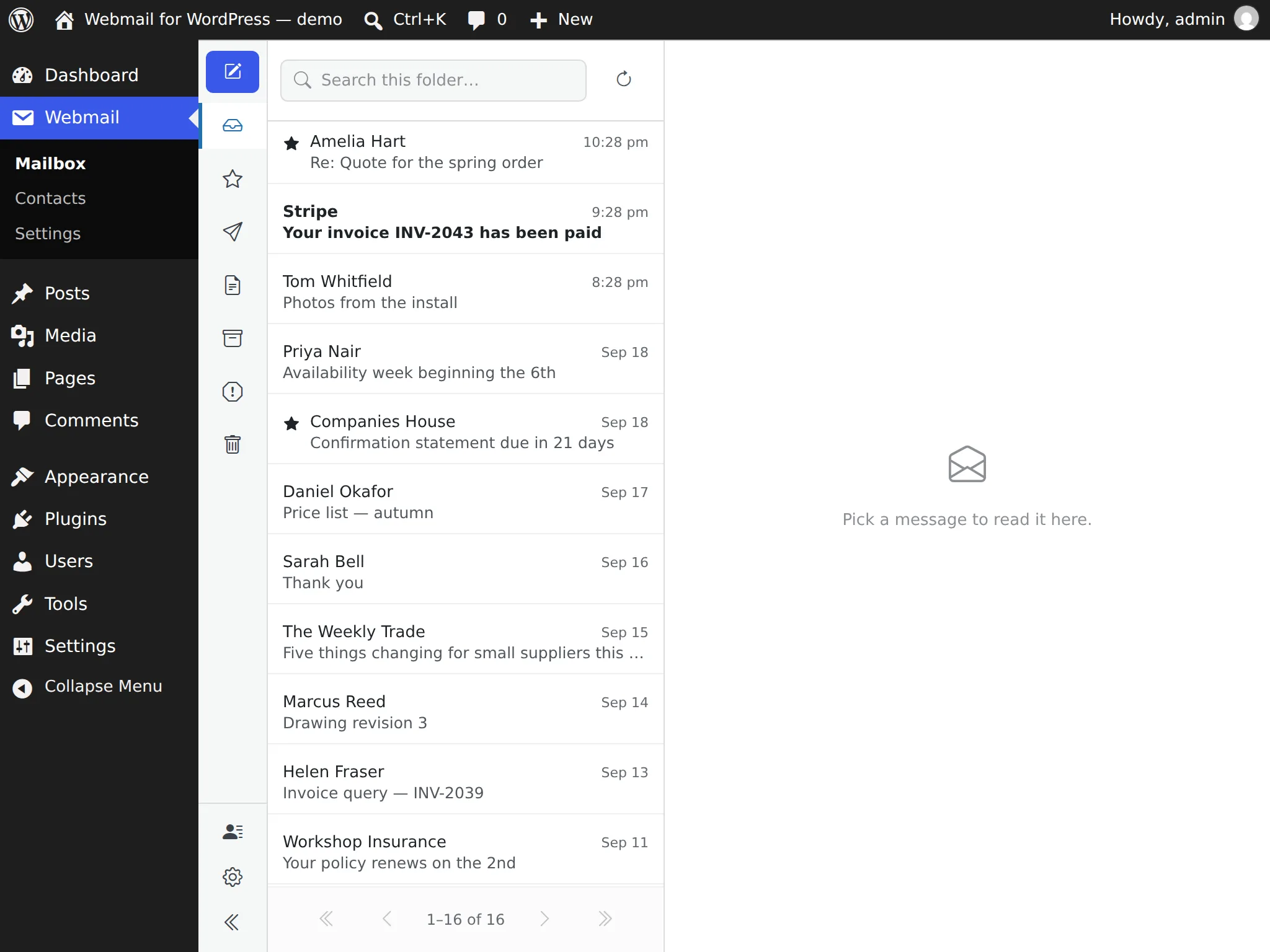
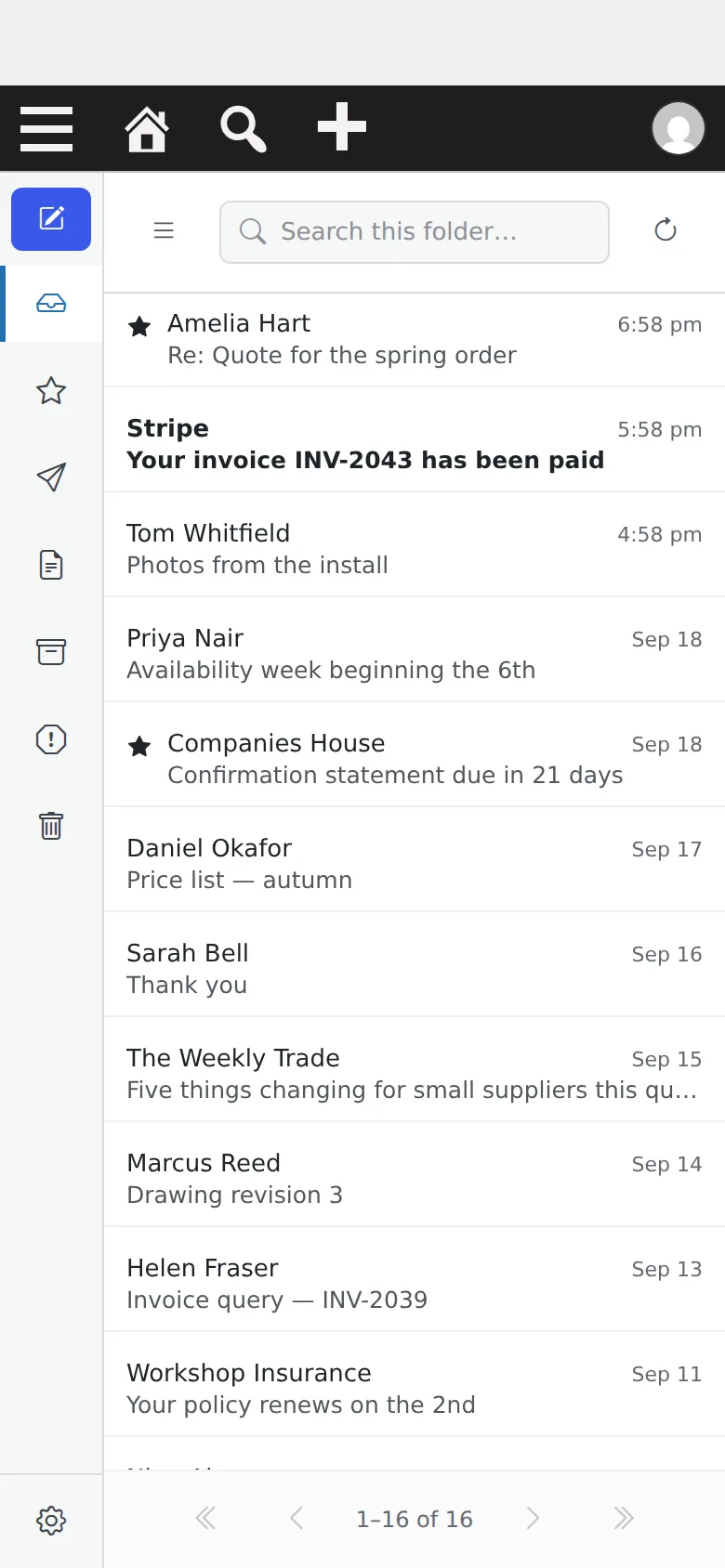
Not a desktop layout squeezed down. The icon rail stays on screen, the body fits the width exactly, and every dialog has a way out.

The three panes on a tablet in landscape

iPad · 1024×768 — all three panes, no compromise

Reading a message on a phone

iPhone · 390px

320px

the narrowest screen it is built for, and tested at

0

sideways scrolling — the body fits the width exactly

Touch

row controls, multi-select and undo all work by thumb

Every release is measured at 320, 390, 768 and 1280 pixels before it ships.

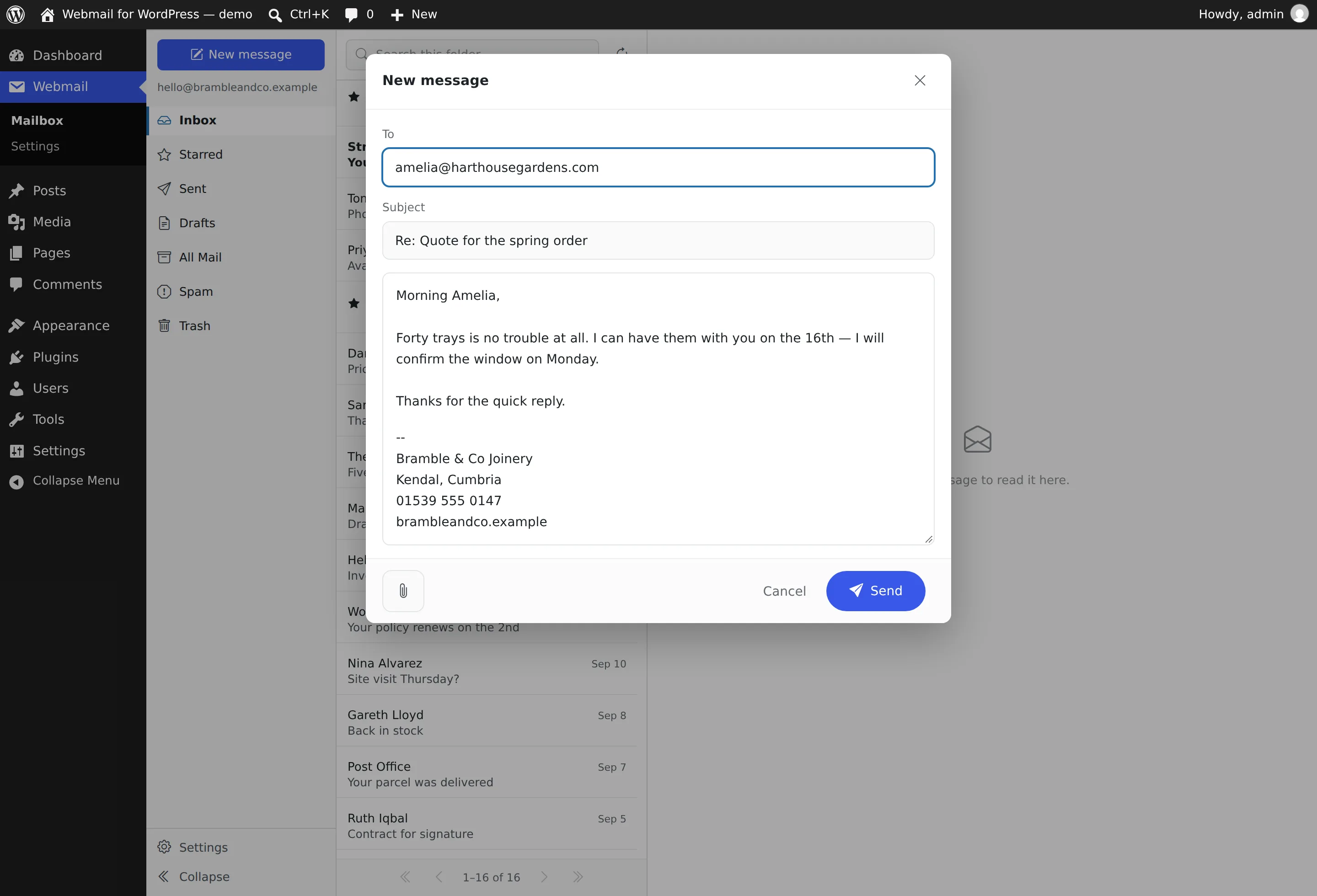
Writing

One sheet, read the way it sends.

To and Subject as captions over soft rounded boxes. Below them, one sheet top to bottom: what you write, then the sign-off, then the quoted original — printed, so nobody has to send an email to find out what went out on the bottom of it.

  • A signature you set once — four lines, filled in from your site to begin with, editable whenever.
  • The original always travels under your sign-off. No tick-box to forget.
  • Paperclip bottom left, Cancel then Send bottom right — Send last, where your thumb expects it.
Writing a new message
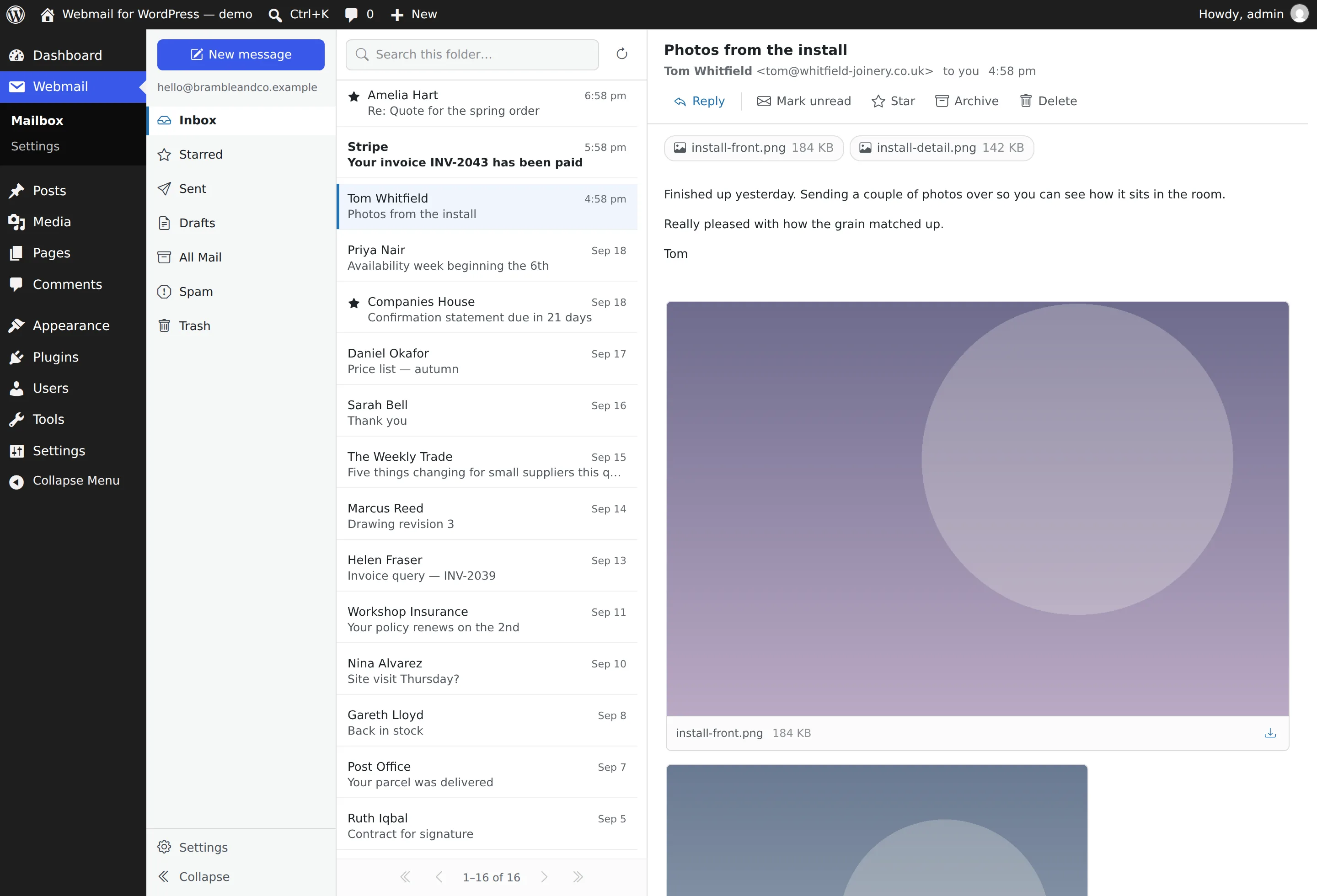
An attached photo previewing inside the message pane

Attachments

Pictures preview where you are reading.

No popup to dismiss and no gallery to escape from. An attached photo is simply part of the message, sized to sit comfortably in the pane — and one click shows it at full size.

  • Never blown up past the file's own resolution, and never taller than the pane.
  • Heavy photos are shrunk on the way out — a 5.5 MB phone picture leaves at 724 KB.
  • Dangerous files are refused — an allow-list, plus a check that the bytes match the name.

Setup

Three steps, one card.

  1. 1

    Upload and activate

    Plugins → Add New → Upload Plugin, choose the zip.

  2. 2

    Point it at your mailbox

    Settings → Webmail. Pick a provider, paste your password — or your app password, which is what Gmail and most others need now — then flip the switch.

    The settings card spells out the steps for whichever provider you pick, and links to their own page.

  3. 3

    Webmail appears in the sidebar

    Not before — a menu item whose only message is "nothing is connected" is worse than none.

POP is not supported, and cannot be: it has no folders, no flags, no server-side search and no move — and every screen here needs all four.

The Webmail settings card

Try it before you install it.

The demo is a real WordPress with the plugin in it, running in your tab and already signed in. Read, star, archive, undo, write a reply.

GPL-2.0-or-later · WordPress 6.4+ · PHP 8.1+ · no account, no sign-up, no tracking